How Long Will a UPS Last in a Power Outage?
How long a UPS will last depends on its battery and your equipment's load, usually giving minutes of backup rather than hours. APC gives 23 minutes at 100W for the BE600M1 and up to 73 minutes at 100W for the BR1500MS2.
On this page (9 sections)
- How long will a UPS last at a 100W load?
- Why do watts matter more than VA for runtime?
- How can you estimate runtime for your own equipment?
- What shortens UPS runtime?
- How long will a UPS last for a desktop and router?
- Which UPS fits your load and shutdown plan?
- How should you set up and care for a UPS?
- How long will a UPS last in a long outage?
- How long will a UPS last on your desk?
How long a UPS will last in a power outage depends mainly on connected watts and battery capacity. A desktop setup may get enough time to save work and shut down, while a lighter router-and-modem load can run much longer on the same unit.
Decide what must stay powered before choosing a UPS. Keeping your internet connection alive and keeping a busy PC running are different jobs, even when both setups fit under one desk.
How long will a UPS last at a 100W load?
At a 100W load, APC gives 23 minutes for the BE600M1, up to 35 minutes for the BE850G2 and up to 73 minutes for the BR1500MS2. These figures compare the models at the same power draw.
They don't describe every home office. A computer's draw changes with its workload, and each extra device on a battery-backed outlet uses part of the available energy.
The CyberPower CP1500PFCLCD also appears below, but there isn't a comparable runtime figure here. Don't assign it an APC model's runtime just because both carry a 1500VA rating.
Why do watts matter more than VA for runtime?
Watts tell you how much power your equipment draws; VA is a separate capacity limit. Neither number alone tells you how many minutes the battery will last.
The UPS must support your equipment within both limits. After checking capacity, use the exact model's runtime curve to find the expected duration at your load.
A computer power supply's maximum output isn't its constant wall draw. A PC with a high-capacity power supply may use much less during light work, then draw more during games or demanding tasks.
How long will a UPS last at a high watt load?
A UPS runs for less time as the connected load rises, so a busy desktop can drain its battery much faster than a router. Near the UPS capacity limit, the shutdown window may be short.
Leave room for workload changes rather than sizing around an idle reading. Extra watt capacity helps avoid overload, but it doesn't replace checking runtime.
How can you estimate runtime for your own equipment?
Measure the devices you intend to keep on battery, then match their combined watts to the manufacturer's runtime curve. A plug-in watt meter is more useful than adding device labels that show maximum power.
Use this sequence:
- List essential equipment, including the monitor needed to save work.
- Measure the combined draw during normal use and a demanding task.
- Choose a UPS that supports that load with room to spare.
- Check its runtime at the higher reading.
- Allow time to notice the outage, save work and finish shutdown.
Suppose your desktop, monitor and network gear draw 250W together. A runtime figure at 100W won't tell you how long that setup lasts, and dividing the advertised minutes by 2.5 won't give a dependable answer.
Battery behavior and UPS losses prevent simple straight-line estimates. Our guide to what size UPS you need explains how to separate capacity from backup time.
What shortens UPS runtime?
Battery age, heat and incomplete charging can reduce the backup time available at the same load. Extra equipment can also make a previously adequate UPS seem to lose endurance.
Lead-acid batteries gradually lose capacity. If runtime drops while your equipment stays the same, check battery condition rather than assuming you need a larger UPS.
Keep ventilation openings clear and avoid direct sun, heaters and hot exhaust from a PC. Don't hide the unit in a closed cabinet just to tidy the desk.
A second outage can arrive before the battery recovers from the first. APC gives recharge times of 10 hours for the BE600M1, 8 hours for the BE850G2 and 16 hours for the BR1500MS2.
Those times are a reason to plan conservatively during repeated power cuts. The UPS battery life guide explains how battery service life differs from runtime during one outage.
How long will a UPS last for a desktop and router?
For a desktop, aim for enough time to finish shutdown with a margin; for networking, decide how long you want to remain connected. These goals may call for different equipment on the battery outlets.
A PC needs its monitor if you plan to save work manually. Your router and modem may also need separate power adapters, so count every device required for the connection.
Once the desktop is shut down, the remaining network load is smaller. That can preserve backup energy, but it doesn't provide a fixed number of extra minutes.
A powered router cannot restore an internet provider's failed network. For help choosing equipment around a smaller network load, see our router and modem battery backup guide.
Which UPS fits your load and shutdown plan?
Choose the smallest model that meets both your load and runtime needs, then consider outlets and power-supply compatibility. The four options below suit different setups rather than forming a runtime ranking.
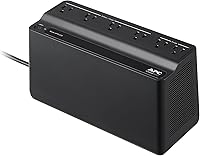
APC BE600M1: for a modest essential load
The BE600M1 fits buyers who need basic shutdown time for a modest desktop or backup for network gear. Its 600VA/330W capacity makes checking the actual draw especially important.
It has 5 battery-backed outlets and 2 surge-only outlets. Skip it for a demanding workstation or any setup whose load leaves little room below its watt limit.
APC BE850G2: for more backup connections
The BE850G2 suits a desk that needs more battery-backed connections and a longer low-load shutdown window than the smaller APC. Its 850VA/450W capacity still calls for a measured load check.
You get 6 battery-backed outlets and 3 surge-only outlets. Skip it if your workload needs more power or its runtime curve falls short of your shutdown plan.
APC BR1500MS2: for a demanding PC or longer low-load backup
The BR1500MS2 suits buyers who need more power headroom, pure sine wave output or longer backup at a modest load. It provides 1500VA/900W capacity and automatic voltage regulation, which corrects high or low voltage without using the battery.
Its LCD shows load and battery status. Skip it if a smaller unit meets your needs and you don't need these features.
The quoted duration applies to a light load, not a demanding PC at full draw. It is the longest published 100W figure among the APC models compared here.
CyberPower CP1500PFCLCD: for higher watt capacity and clear status
The CP1500PFCLCD suits a workstation that needs its 1500VA/1000W capacity, sine wave output and active PFC compatibility. It also has automatic voltage regulation and a tilting color LCD for reading power and battery conditions.
There are 6 battery-backed outlets and 6 surge-only outlets. Skip it if you're choosing solely for longest runtime without first checking its curve at your load.
If waveform compatibility affects your choice, read whether you need a pure sine wave UPS. A suitable waveform and sufficient runtime solve separate needs.
How should you set up and care for a UPS?
Put essential gear on battery-backed outlets, follow the manual's battery-connection steps and allow the initial charge before relying on backup. A surge-only outlet won't keep a device running during an outage.
Plug the UPS directly into a suitable grounded wall outlet according to its instructions. Keep heaters, laser printers and other high-draw equipment off its battery outlets.
Label the power cords so a later desk cleanup doesn't move the router onto a surge-only socket. Where supported, configure automatic shutdown for a computer or NAS that may be unattended.
Use the manufacturer's built-in battery check as directed and respond to battery warnings. Don't regularly drain the battery to empty just to find out how long it lasts.
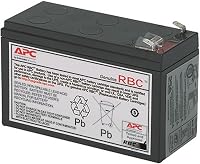
All three APC models above have user-replaceable batteries. Follow the correct replacement procedure and recycle the old battery through an appropriate collection service.
A UPS also provides surge protection, but those functions differ. Our UPS vs surge protector guide explains which protection remains available on each outlet type.
How long will a UPS last in a long outage?
A desktop UPS can bridge a short interruption or support shutdown, but it shouldn't be your whole plan for hours of work. For longer backup, compare power sources designed around the required energy capacity.
During an outage, save promptly and stop nonessential work. Don't wait for the low-battery alarm to begin a slow shutdown.
For network-only backup, reducing the connected load is often more useful than keeping an entire workstation powered.
How long will a UPS last on your desk?
Choose by measured load and required shutdown time, not the largest VA number. Pick the BE600M1 for modest essentials, the BE850G2 for more connections, or a sine wave model when its capacity and features fit your PC.
To judge how long a UPS will last on your desk, match its runtime curve to your busiest normal workload and leave a reserve. Use the UPS battery backup buying guide to finish the outlet, compatibility and maintenance checks before buying.
Frequently asked questions
How long does a 1500VA UPS last?
A 1500VA UPS has no fixed runtime because battery capacity and connected watts vary by model. APC gives up to 73 minutes at 100W for the BR1500MS2, but that figure doesn't apply to every 1500VA unit; use the exact model's runtime curve at your measured load.
Is 10 minutes enough for a UPS?
Ten minutes can be enough to save files and shut down a desktop, provided you begin promptly. It may be too short for a slow shutdown or several devices that must stop in order; choose a runtime margin and configure automatic shutdown if your equipment supports it.
Why does my UPS run out faster than the box says?
A heavier load, an aging battery or incomplete charging can shorten UPS runtime. Start by checking which devices use the battery-backed outlets and measuring their combined draw during normal work; compare that load with the exact model's runtime curve, then check battery condition and charging instructions.