APC Back-UPS BE600M1 Review: Worth It? (October 2026)
The APC BE600M1 suits light computer setups and home networks that need backup through short outages. Choose it after checking your combined power draw and shutdown needs against its 330W limit.
On this page (13 sections)
- Is the APC BE600M1 good for a home computer?
- What do 600VA and 330W mean for your setup?
- How much outage time should you expect?
- Which devices belong on the battery outlets?
- Is it a sensible backup for a router and modem?
- Which home office setups suit it best?
- How should you set up the BE600M1?
- Where should you place it?
- How do you care for the battery?
- What should you do when it beeps?
- Does your computer need a particular output waveform?
- Who should skip the BE600M1?
- Should you buy the APC BE600M1?
The APC BE600M1 is a good fit for light computer setups and home networks that need temporary power during short outages. Buy it to keep essential equipment running while you save work, finish a call or shut down.
Its main limit is how much equipment you expect it to support at once. A small desk can still have a demanding computer, so choose by power draw and outage needs rather than desk size.
Is the APC BE600M1 good for a home computer?
Yes, if your computer setup has a modest power draw and you mainly need time to save work. It also suits a home network that drops offline during brief power interruptions.
APC BE600M1 Back-UPS 600VA: Best for light home offices

- 600VA/330W capacity
- 5 battery-backed outlets and 2 surge-only
- 1.5A USB charging during outages
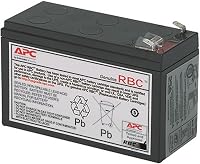
- User-replaceable APCRBC154 battery
A compact backup for a light computer setup or home network when brief outages interrupt work. Choose it for essential devices, with enough spare capacity for changes in power draw.
Pros
- Battery outlets keep essential gear powered during short outages
- USB charging works during outages
- Replaceable battery extends the unit's useful life
Cons
- Limited capacity for demanding computer setups
- Runtime falls as the connected load rises
- Replacement battery sold separately
A desktop, monitor and network connection can make a sensible backup group, provided their combined load leaves spare capacity. Count the devices you need during an outage before filling the available outlets.
A laptop changes the decision because its own battery already covers the computer. In that case, backing up the modem and router may matter more than keeping the laptop charger powered.
Skip this model if you need to keep working on demanding tasks throughout a long outage. Temporary backup and extended operation are different jobs, and the second needs a runtime plan based on your actual equipment.
What do 600VA and 330W mean for your setup?
The BE600M1 has a 330W maximum power rating, so the combined draw of your protected equipment must stay below that limit. Its 600VA rating is a separate capacity measure, not permission to connect 600 watts.
Leave room for power use to rise when your computer starts a demanding task. A setup that barely fits while idle may be unsuitable once the processor or graphics card gets busy.
A computer power supply's wattage shows what it can supply, not what the computer always uses. Adapter labels can help with an initial estimate, but a plug-in power meter gives a clearer view of actual wall power.
Measure the equipment together during the work you expect to do. Include the monitor and network devices rather than sizing the UPS around the tower alone.
Sizing an APC BE600M1 for your desk
Start with an essential-device list, then check the combined load and the time needed to shut down. Those checks tell you more than counting screens or assuming every office computer uses little power.
A simple worksheet helps keep the choice focused:
- Name each device that must stay powered.
- Record its measured draw or a conservative estimate.
- Add the loads together and allow room for changes.
- Decide how quickly you can save work and shut down.
For more help with the two capacity measures, see what size UPS you need.
How much outage time should you expect?
APC gives 23 minutes at a 100W load, which is a useful reference for a light setup. It does not establish the runtime for your particular computer or network.
Higher power draw generally shortens runtime, while battery age and incomplete charging can reduce it further. Don't double that figure for half the load or divide it neatly for twice the load.
Decide what you need the time for before choosing the unit. Riding through a brief flicker requires a different margin from finishing a long file transfer or closing several work applications.
For a desktop, begin saving as soon as the outage starts. Waiting until the battery is nearly empty leaves less room for a slow application or an unexpected shutdown delay.
Network-only use can be a better fit when the connected load is lower. Our guide to how long a UPS lasts in an outage explains how load and battery condition shape that window.
Which devices belong on the battery outlets?
Put devices needed for continuity on the 5 battery-backed outlets; use the 2 surge-only outlets for nonessential gear. Surge-only equipment loses power during an outage.
For a desktop, prioritize the computer and the screen you need to save work. Add the network equipment if your work also needs a live connection.
For a network-only setup, identify the whole connection path. Depending on your service, that can include a separate modem, router, fiber terminal or network switch.
Leave decorative lighting and other nonessential devices off the battery group. Each added load uses energy that could support your computer or connection.
The built-in 1.5A USB charging port works during outages, so it can charge a compatible phone without taking an AC outlet. Keep the phone cable accessible before you need it.
Is it a sensible backup for a router and modem?
Yes, the BE600M1 suits a home network when you want to bridge brief power cuts without backing up an entire workstation. Keeping the battery load focused on networking also avoids sharing it with a busy desktop.
Follow each power cable from the network device to its adapter. This prevents the common mistake of protecting the router while leaving the modem on an ordinary wall outlet.
Remember that powered Wi-Fi and working internet are different things. Your local network may stay available even if the provider's equipment loses power farther along the connection.
Choose a larger backup based on your required runtime, not simply because networking equipment runs all day. Continuous use alone doesn't tell you how much power a device draws.
For other approaches, compare UPS options for a router and modem and whether a mini UPS suits your router.
Which home office setups suit it best?
A light desktop or a laptop with separate network backup is the clearest match. A small NAS may also fit, but its power draw and shutdown needs deserve their own check.
For a laptop user, decide whether the charger needs battery power at all. Leaving it off the backup group can reserve more energy for the network while the laptop uses its internal battery.
For a desktop user, separate essential work from optional equipment. You may need one screen to close applications safely, even if you normally work across several.
For a NAS, check its shutdown instructions and any required UPS communication support before relying on unattended operation. Supplying temporary power does not by itself arrange an orderly shutdown.
Don't choose by device count alone. Several low-power network devices can be an easier load than one demanding computer.
How should you set up the BE600M1?
Charge it before relying on its backup, then connect only the devices included in your load plan. APC gives a battery charge time of about 10 hours.
Read the setup instructions first, including any battery connection steps. Plug the UPS directly into a suitable wall outlet and follow the manual's guidance on grounding and placement.
Use this order to make setup easier:
- Choose a dry, ventilated location near the equipment.
- Complete the battery setup described in the manual.
- Allow the battery to charge.
- Connect essential devices to battery-backed outlets.
- Mark the power adapters so you can identify them later.
- Review the indicators, alarms and shutdown instructions.
Save open work before using any check described in the manual. Avoid finding out which outlet powers the monitor during an actual interruption.
If you need unattended computer shutdown, confirm the required software and communication setup separately. A charging port should not be assumed to provide computer management.
Where should you place it?
Place it where air can circulate and the cables stay secure. The BE600M1 measures 4.13 inches deep, 10.79 inches wide and 5.47 inches tall, and weighs 7.5 pounds.
Allow extra space for plugs and adapter bodies rather than measuring only the case. An outlet arrangement that fits standard plugs may still need careful planning around bulky adapters.
Keep the unit away from heaters, direct sun and places where drinks can spill. Don't cover its vents with papers or push it into a tightly packed cabinet.
Choose a stable surface that supports its weight and keeps cords out of walkways. Leave the indicators and controls accessible so you can check an alarm without moving the desk.
How do you care for the battery?
Keep it charged, cool and ready for short interruptions, and replace the battery when it can no longer support your shutdown needs. Avoid deliberately draining it just to use the remaining charge.
After an outage, allow time for recharging before expecting another full backup window. Closely spaced outages can leave you with less reserve even when the connected equipment hasn't changed.
Note the date of installation and any clear decline in useful runtime. Compare similar loads, because a newly added monitor can shorten runtime without proving the battery has failed.
The internal battery is user-replaceable, and the compatible APC APCRBC154 cartridge is sold separately. Follow the model's replacement instructions and arrange proper recycling for the old battery.
If you see swelling, leakage or unusual heat, stop using the unit and seek APC's guidance before handling the battery. Our APC UPS battery replacement guide explains the general process.
What should you do when it beeps?
Check the indicators and the manual's alarm pattern first, then respond to the reported condition. The BE600M1 uses audible alarms and LED status indicators to signal UPS and utility power conditions.
During an outage, save your work and begin the shutdown plan. Repeatedly silencing an alarm doesn't increase the remaining battery charge.
If the warning begins after you connect more equipment, review the load and remove nonessential devices. Don't keep adding devices because unused outlets remain.
An alarm during normal utility power can need a different response from an outage warning. The APC Back-UPS 600 beeping guide helps you work through the likely causes.
Does your computer need a particular output waveform?
Check your computer power supply's UPS requirements before buying, especially if it specifies pure sine wave power. Capacity and output compatibility are separate checks.
Do not assume that active PFC alone settles compatibility either way. Follow the power supply maker's guidance and confirm the UPS output characteristics in the model's documentation.
This matters even when your measured load fits comfortably. Our guide to whether a PC needs a pure sine wave UPS explains how to make that decision.
Who should skip the BE600M1?
Skip it if your load leaves little spare capacity or your work needs extended backup. Demanding gaming systems and graphics workstations need particular care when sizing a UPS.
Two monitors don't automatically rule it out, just as one monitor doesn't automatically make it suitable. The combined power draw and required runtime decide the fit.
Also pass if your essential equipment needs more battery-backed connections than this model provides. Adding outlet splitters doesn't add power capacity or stored energy.
For a larger APC option to assess, read the APC BX1500M review. Compare its capacity and runtime against your load rather than choosing a larger model by name alone.
Should you buy the APC BE600M1?
Choose the APC BE600M1 for a light, measured load and a short-outage plan. It's a sensible fit when the goal is to keep a home network available or give a modest desktop time to close work safely.
Before ordering, settle 3 points: which devices need battery power, how much they draw together and how long you need them to run. If any answer exceeds this unit's role, choose a different backup.
Use the best APC UPS roundup to compare options once those needs are clear. The broader UPS battery backup guide can help you plan protection across the rest of your home office.
Frequently asked questions
Is the APC BE600M1 enough for a desktop PC?
Yes, for a desktop setup whose combined power draw stays comfortably below its 330W limit; include the monitor and any network gear connected to battery outlets when you size it. A computer's power supply label shows capacity, so measure actual use during demanding work before choosing your backup.
How long does the APC BE600M1 battery last during an outage?
APC gives 23 minutes at a 100W load; that is a reference point, not a promise for every desk: connected power draw, battery condition and charge level affect runtime. Plan to save work and shut down promptly rather than use the whole expected window before taking action.
Can the APC BE600M1 power a Wi-Fi router?
Yes, it can supply temporary power to a router and modem connected to its battery-backed outlets; include any separate network device your connection needs, such as a fiber terminal. Keeping your equipment powered does not guarantee internet access if your provider's equipment also loses power during the outage.
Can you replace the APC BE600M1 battery?
Yes, the BE600M1 has a user-replaceable battery and uses the APC APCRBC154 cartridge, sold separately; follow the model's manual for safe replacement and charging before relying on the new battery. Arrange proper battery recycling, and avoid handling a damaged or leaking battery without guidance from APC.